Full-page settings and provider editing
Settings and provider configuration now use a dedicated workspace instead of nested dialogs, making models, keys, protocols, and scheduling rules easier to inspect and maintain.
 Open source · Provider-independent
Start with a project, then let the right model take each task.
Choose a fixed model, automatic routing within one provider, or automatic routing across providers before a session starts. Execution, review, and delivery remain in the same work desktop.
MIT open source · Current package is unsigned · Verified on Intel Mac
More than another chat window
CaoGen is built for ongoing projects, not one-off prompts. Project rules, context, execution, cost, and delivery evidence stay on one work chain.
What's new in v0.1.5
New sessions no longer ask users to repeatedly choose the underlying engine. Project ownership, routing scope, and task models are selected in one place while compatible native context is preserved during execution.
Settings and provider configuration now use a dedicated workspace instead of nested dialogs, making models, keys, protocols, and scheduling rules easier to inspect and maintain.
Create sessions directly inside a project and keep their context grouped in the sidebar. Unassigned sessions have a separate collection instead of mixing into one history list.
Choose a fixed provider and model, automatic routing within one provider, or automatic routing across configured providers. Each provider owns its execution engine configuration.
Research, planning, development, testing, and documentation can each have a default model and custom rules. Cross-provider selection happens before session creation, with runtime switching limited to compatible engines.
One desktop for the complete workflow
Each capability participates in real sessions instead of living in a separate showcase panel.
Manage providers, models, multiple keys, and compatible services in one place, then choose a path by task role, quality, speed, cost, and health.
Each project keeps its own sessions, prompts, stack, commands, restricted paths, model policy, and acceptance criteria.
Files, terminal, diffs, Git, worktrees, browser comments, and previews work together inside the task context.
Approvals, routing reasons, budgets, tool state, and task progress remain visible, with evidence retained for important actions.
Provider recommendations
The links below lead to independent provider websites. Each provider determines its actual services, pricing, quotas, and terms.
A registration link for a third-party API service. Available models, pricing, quotas, and terms are determined by the provider.
Visit CiYuan2API Promotional link · CaoGen does not store your provider account or payment information.Real product interface
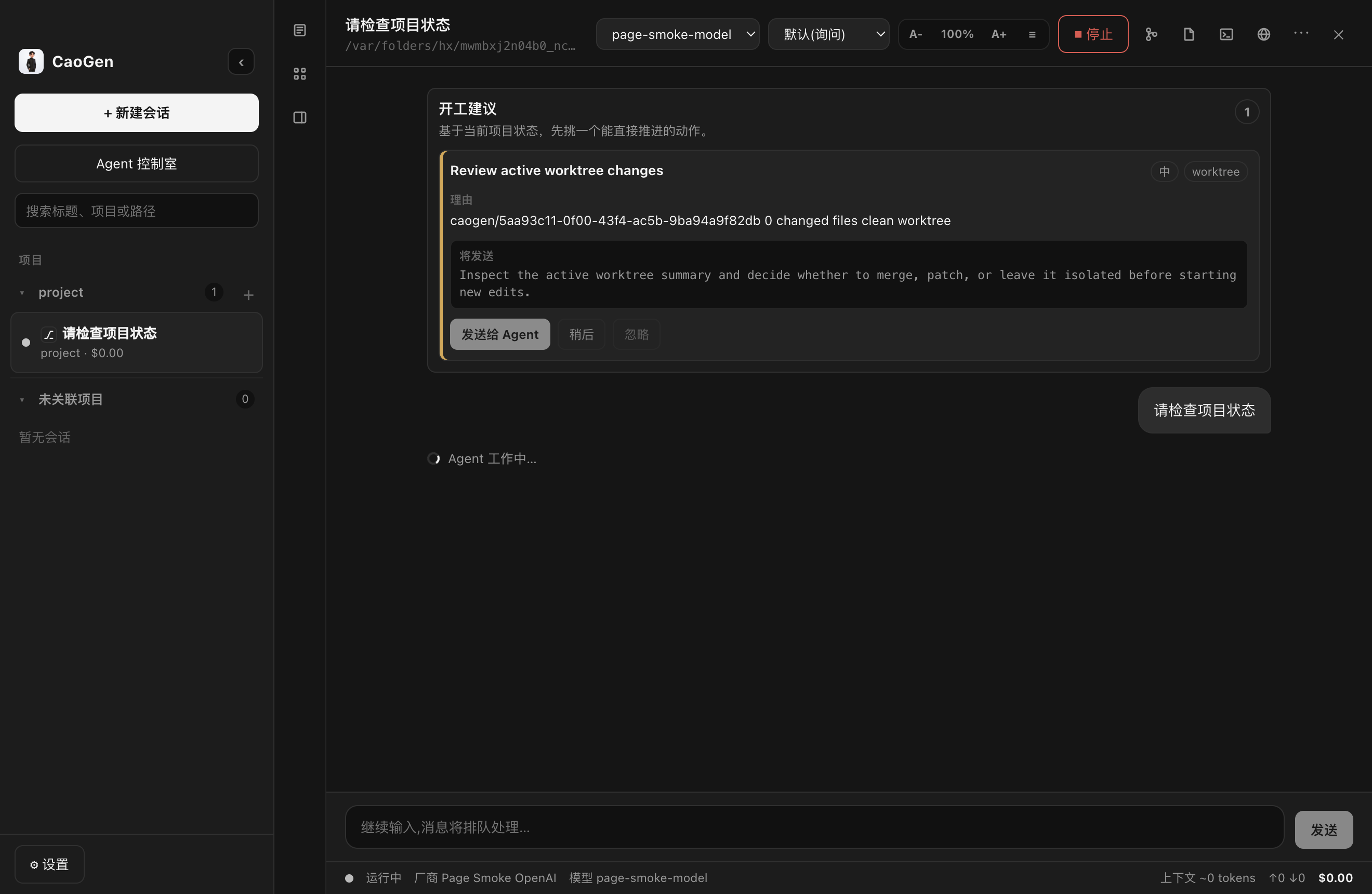
Core workflow
Create a session in an existing project, or keep unassigned sessions in their own collection.
Use a fixed model, automatic routing within one provider, or automatic routing across providers before execution begins.
Route by research, planning, development, testing, or documentation preferences, then use files, terminal, browser, and Git.
Inspect diffs, run verification, and handle actions that require approval.
Leave reviewable changes, status, and delivery evidence behind.
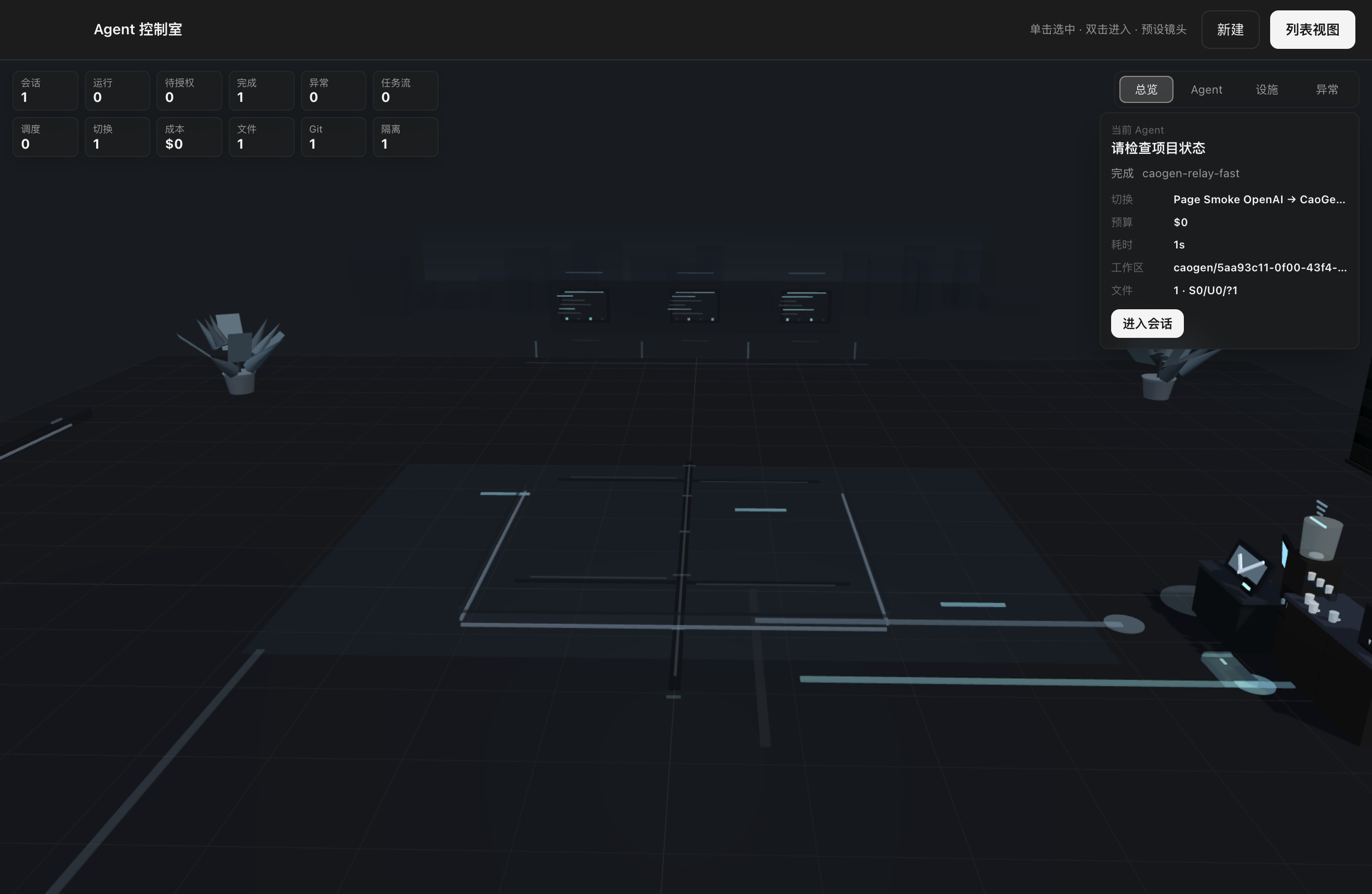
3D office
Each session maps to a workstation. Execution, approval waits, recovery, cost, model routing, and worktree state come from real task data.
View the product interfaceGet started
v0.1.5 currently provides macOS x64 and Windows x64 packages. Apple Silicon users can check earlier releases. Linux users can run from source or build locally.
FAQ
No. The default OpenAI-compatible path does not depend on a Claude login. Claude is an optional engine selected explicitly by the user.
Yes. Any service with a compatible API can be configured with its provider, model, API key, and custom base URL.
The current public package is unsigned. Right-click the app and choose Open to confirm launch. Formal signing and notarization are still in progress.
CaoGen is currently Beta. The core work path is available for testing. Use a test repository or isolated worktree for high-risk tasks and run your own verification before delivery.
Fixed mode always uses one provider and model. Single-provider automatic mode selects only from that provider. Cross-provider automatic mode selects from configured providers before session creation and only switches to providers compatible with the active engine at runtime, preserving native context.